
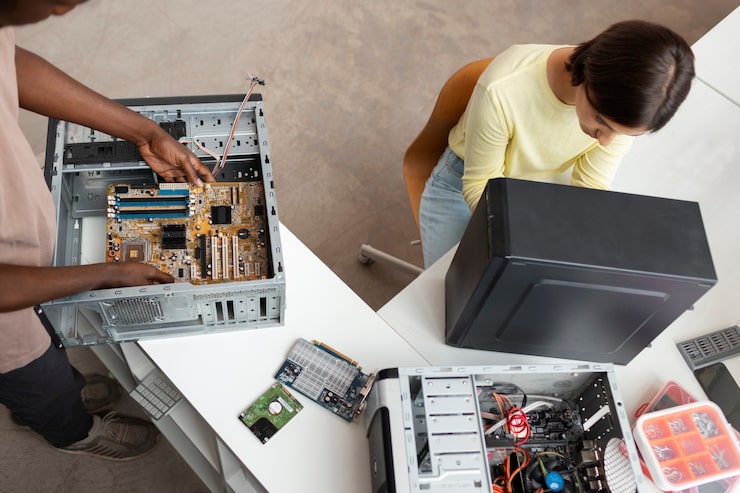
Despite the rise of laptops and tablets, the desktop computer remains the go-to choice for anyone who wants maximum performance, easy upgradability, and the best value for money. Whether you’re setting up a home office, building a gaming rig, or replacing an ageing family PC, this guide will help you navigate the options available in the UK market.
Why Choose a Desktop Over a Laptop?
Desktop computers typically offer significantly more computing power per pound than laptops, since they don’t need to cram components into a slim, battery-powered chassis. They’re also easier and cheaper to upgrade — swapping in more RAM, a bigger hard drive, or a new graphics card is usually straightforward. For anyone doing demanding tasks like gaming, video editing, or 3D rendering, or simply wanting a machine that will last several years without slowing down, a desktop is often the smarter investment.
Types of Desktop Computers
- Tower PCs: The traditional desktop format, with a separate case, monitor, keyboard and mouse. These offer the best upgradability and cooling.
- All-in-One (AIO) computers: The processor and components are built into the monitor housing, saving desk space and reducing cable clutter, though upgrades are more limited.
- Mini PCs / Small Form Factor: Compact machines suited to basic tasks, media centres, or space-constrained desks, trading some performance for a smaller footprint.
- Pre-built vs custom-built: Pre-built desktops from major brands offer convenience and warranty support, while custom-built PCs — assembled from individually chosen parts — let you tailor performance and price exactly to your needs.
Key Specifications to Consider
- Processor (CPU): The brain of the computer. Intel Core i5/i7 and AMD Ryzen 5/7 processors suit most users, while i3 or Ryzen 3 chips are fine for basic browsing and office tasks.
- RAM: 8GB is the minimum for smooth everyday use, 16GB is comfortable for multitasking and gaming, and 32GB or more suits heavy creative or professional workloads.
- Storage: Solid State Drives (SSDs) are dramatically faster than traditional hard drives and should be a priority for your main drive, even if you add a larger hard drive for extra storage.
- Graphics card (GPU): Essential for gaming and video editing; integrated graphics are sufficient for office work and web browsing but will struggle with demanding games or design software.
- Operating system: Most UK desktops run Windows 11, though some creative professionals prefer macOS via a Mac desktop, and Linux remains a popular free alternative for enthusiasts.
Matching a Desktop to Your Needs
For general home and office use — emails, browsing, streaming, and document work — a mid-range desktop with a Core i5 or Ryzen 5 processor, 8-16GB RAM, and an SSD will handle everything comfortably. Gamers should prioritise a dedicated graphics card alongside a strong CPU, and consider a case with good airflow for sustained performance. Creative professionals working with video editing, 3D design, or music production benefit from higher RAM capacity, fast multi-core processors, and ample fast storage.
Buying New vs Refurbished
Refurbished desktops, widely available from specialist UK retailers, offer a budget-friendly way to get a capable machine at a fraction of the original price, and many come with warranties for peace of mind. This can be a particularly smart option for basic home or student use, where the latest hardware isn’t necessary. If you need cutting-edge performance for gaming or professional work, buying new — or building your own — gives you access to the latest components and full warranty support.
Final Thoughts
A desktop computer remains one of the most cost-effective and flexible choices for anyone needing serious computing power. By focusing on the specifications that matter for your particular use — whether that’s raw processing power, graphics performance, or simple reliability for everyday tasks — you’ll find a desktop that offers excellent value and years of dependable service.